
Diligence organized around the request list.
Arc is built around what a deal team manages: a list of outstanding requests, who owns each one, and what has been provided against it. The documents attach to that list.
What a room does
Four capabilities carry most of a diligence process.
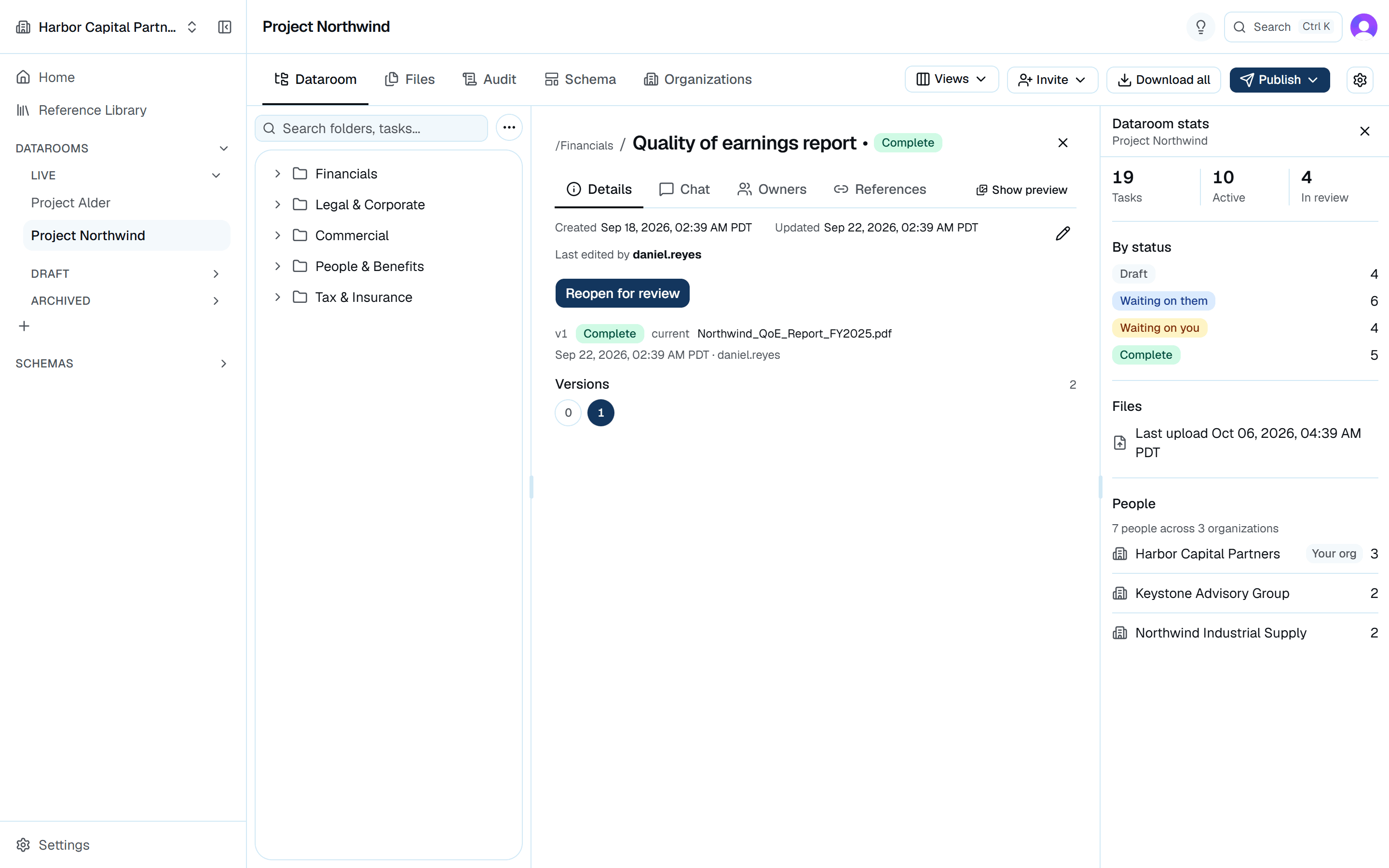
Every request has an owner and a status
Each diligence item is a request with a status and an owner. Nothing waits in an inbox, and the room shows what is still outstanding without a status call.
- Requests move through four states: draft, awaiting the counterparty, awaiting internal review, and complete
- Ownership is explicit and reassignable on both sides of the deal
Permissions granted per organization
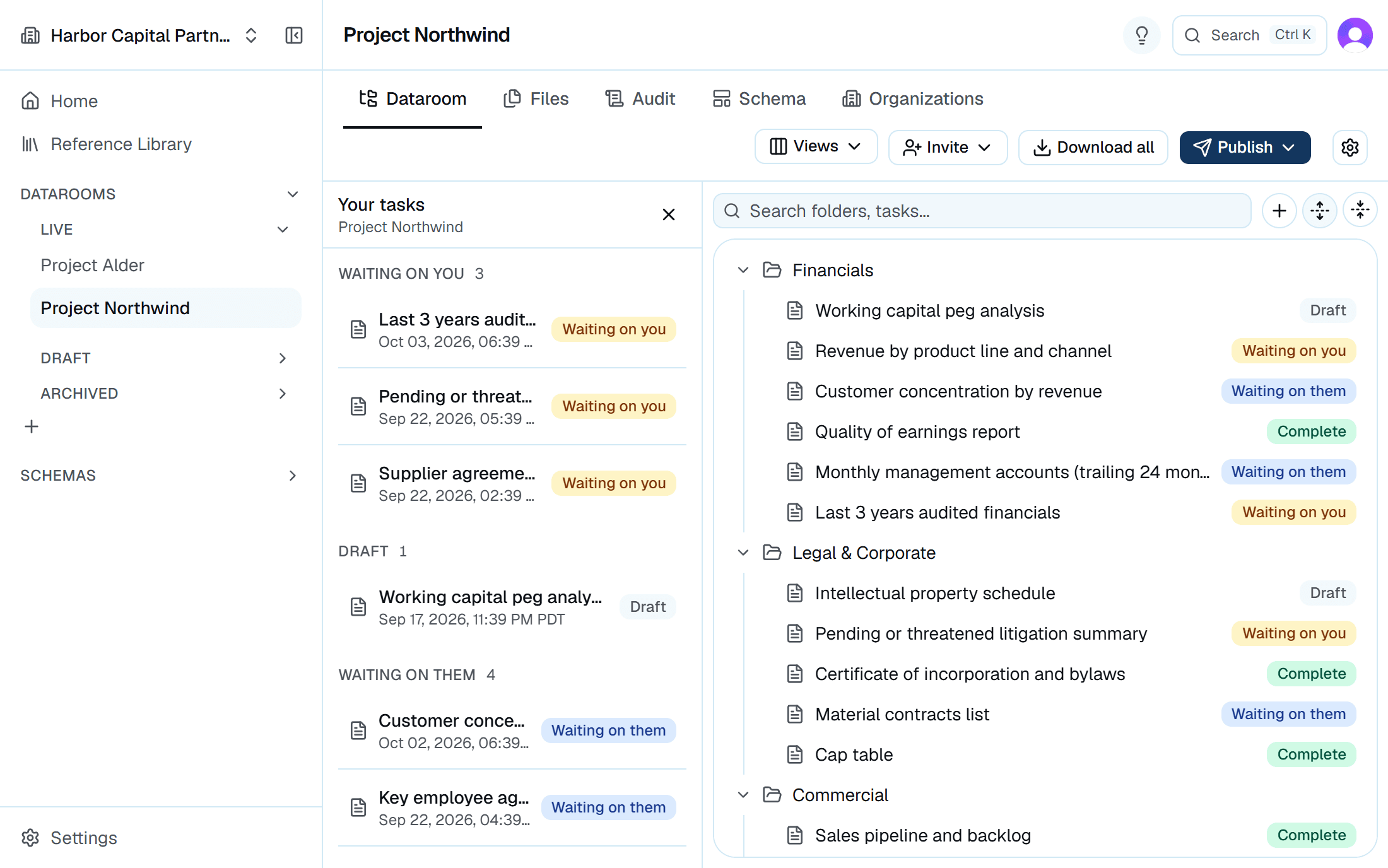
Access is granted to a counterparty organization and scoped to a single room. Adding an advisor does not mean negotiating seats, and removing one does not mean auditing individual logins.
- Invite a whole counterparty organization at once, with no added fee per person
- Each side sees only what its permissions allow, and changes take effect right away
- Revoking access takes one action and is recorded like any other change
Version history
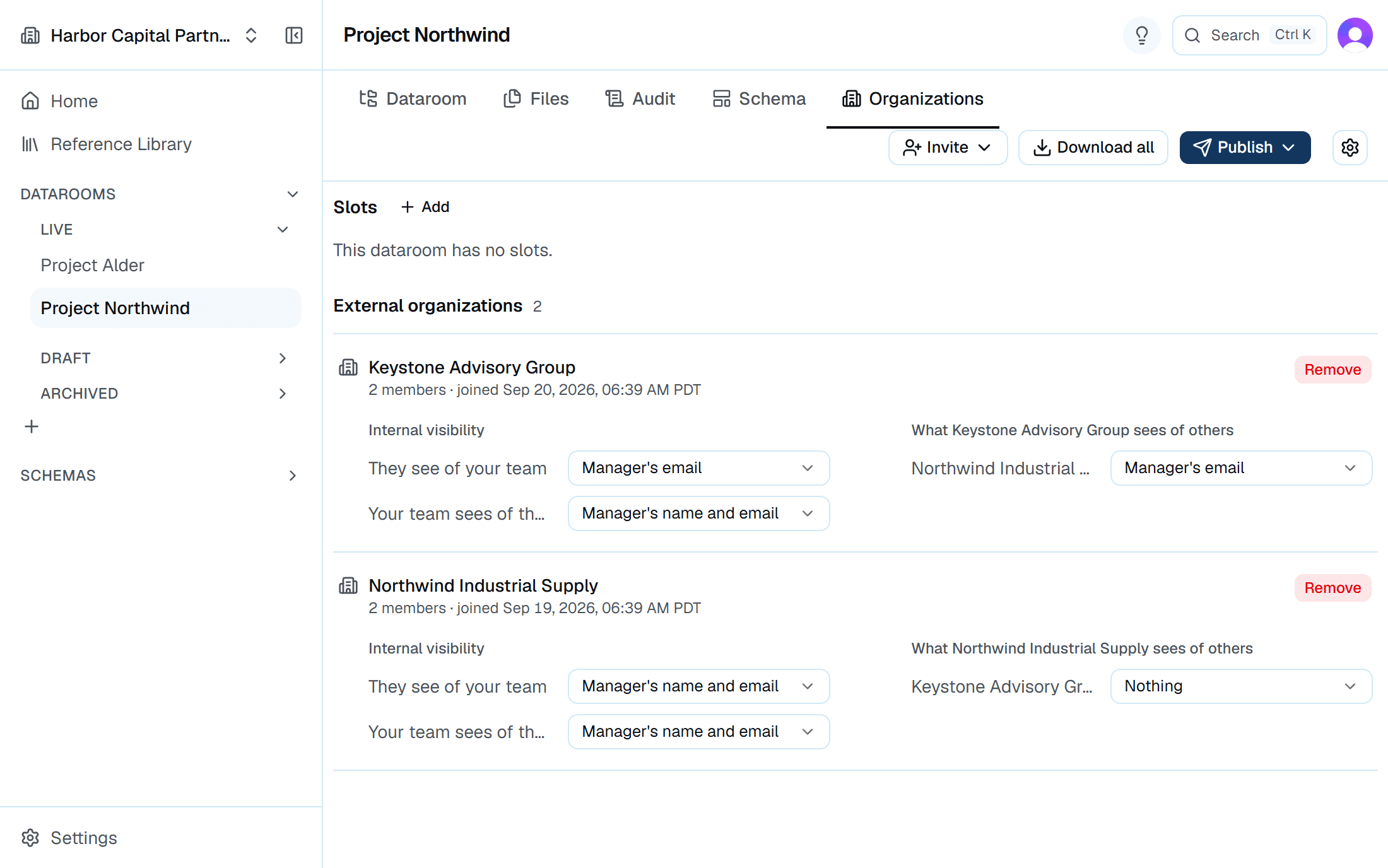
Each request keeps its full history from first upload to close. The current version is clear, and superseded versions stay in place.
- Every upload creates a new version rather than overwriting the last
- Superseded versions stay readable, in place, against the request they belong to
- Who replaced what, and when, is part of the record
A record you can hand to counsel
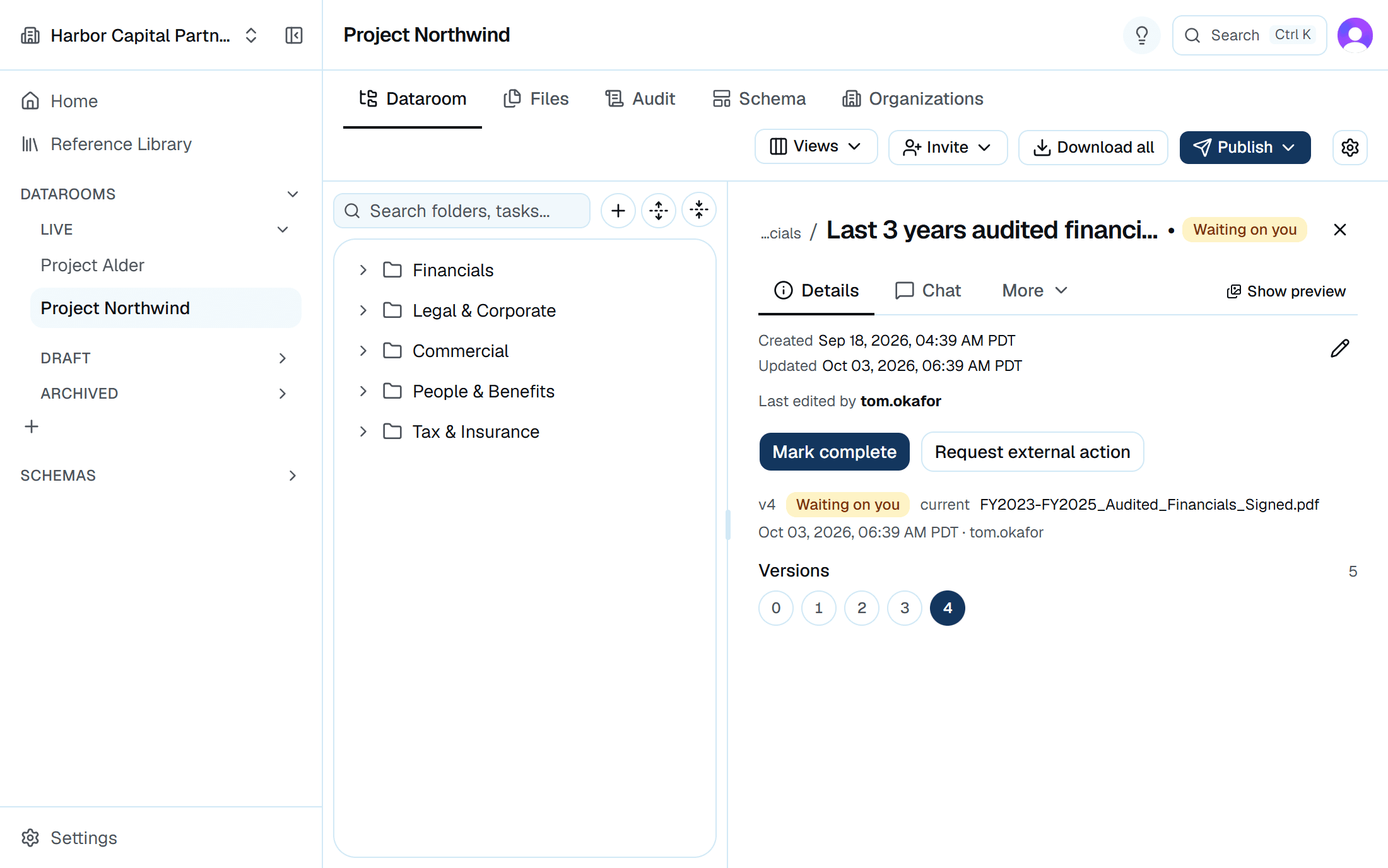
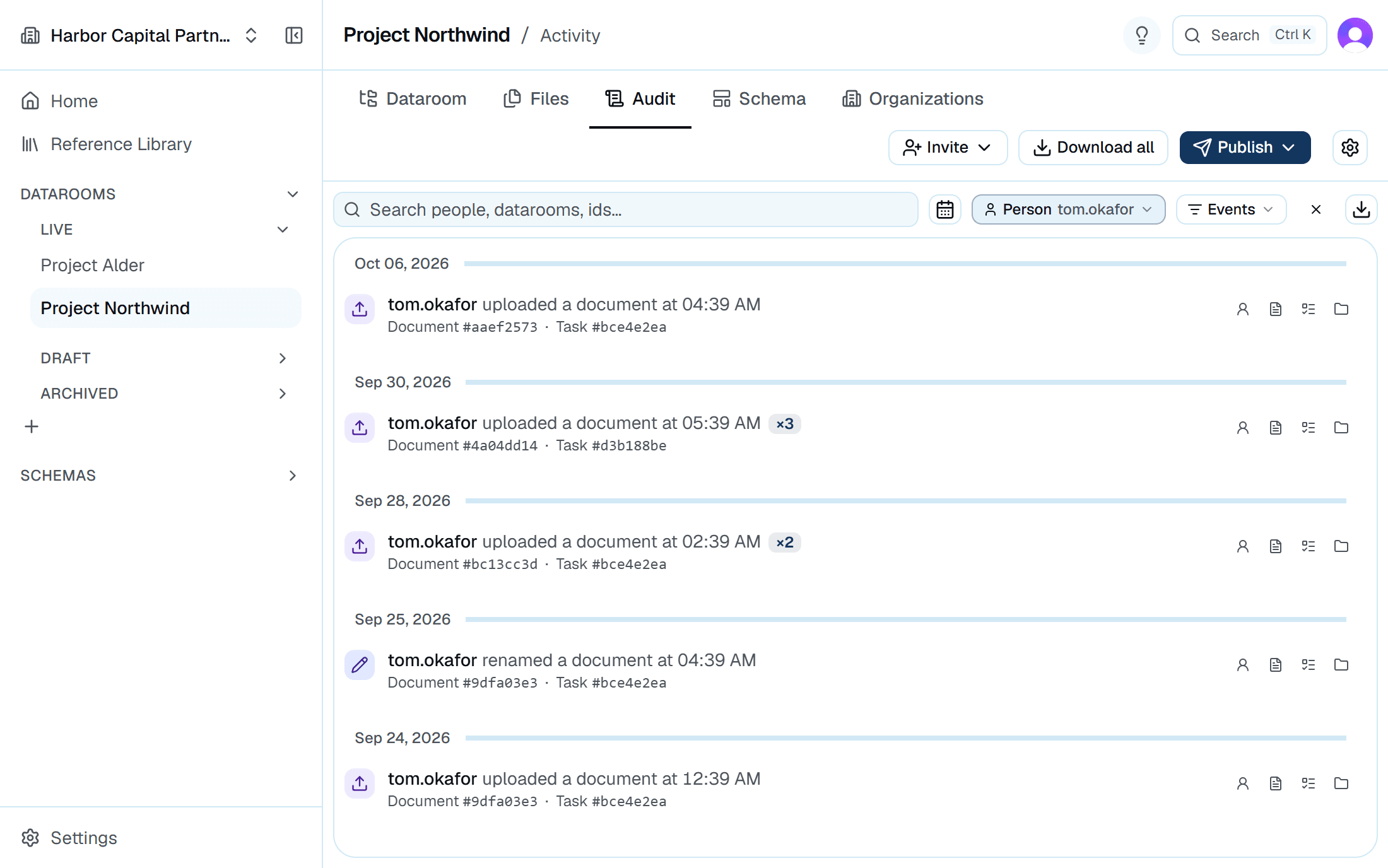
Every upload and access grant is recorded as it happens. Filter and export the audit log to give counsel the record without a manual review of the room.
- Uploads, downloads, invitations, and revocations
- Filterable by actor, organization, and date
- Exportable to Excel or CSV for the closing file
More in each room
Folder structure that matches your process
Use your firm's own structure for diligence instead of someone else's template.
Search across the room
Find a request or document by name without browsing folders.
Email notifications
Get an email when something changes that you need to know about. Nothing is sent otherwise.
Internal and external teams, separated
Your team and the counterparty's are separate groups with separate permissions.
Bulk download
Take the room, or any part of it, as a structured archive when the deal closes.
Archive rather than delete
A closed room becomes read-only instead of disappearing, so the record survives the transaction.
See it against your own request list
Set up a room with a live deal's diligence list and judge Arc on your own data.